
Fireworks 8.exe Stealer Keylogger Analysis
Technical Analysis
| File Name | Fireworks 8.exe |
| File Type |
PE32 executable (GUI) Intel 80386, for MS Windows
|
| Scanner Version | 1.0.185.174 |
| Database Version | 2024-08-29 22:00:33 UTC |
Spy.Win32.Keylogger.ca
Malware family: Keylogger
Scan Another File
File Identification
| Hash Type | Value | Action |
|---|---|---|
| MD5 |
66787a20d551464f20d69b330cf59199
|
|
| SHA1 |
df2c6f9c36080edbce8c1b51005fda0ecf528514
|
|
| SHA256 |
674f9c53e6412d6163050c3f931ffadd89ba8a4edb2ad8ae8be46a733944dad5
|
|
| SHA512 |
46a7739ea9ca6f872812ec3afcdcc4f53a5b6a80bca77eb90584b02bd1918d93c7895c5cc7fb9cc47095230cbf3ebf41cc6e23583e2067b1483e6d1034d418a9
|
|
| ImpHash |
9115dc313c58f29fc3489314de9b3381
|
PE Analysis
Basic Information
▼| Icon |
Hash: a3645b827f84dd2f3ac2f1eb82857676
Fuzzy: ccbb3cc84540870cab6bbff1048cffef dHash: 3361d4a8a8d47117 |
| Image Base | 0x00400000 |
| Entry Point | 0x00416606 |
| Compilation Time | 2006-06-01 14:37:40 |
| Checksum | 0x00000000 (Actual: 0x0433db54) |
| OS Version | 4.0 |
| PEiD Signatures |
PE32 executable (GUI) Intel 80386, for MS Windows
|
| Digital Signature | The PE file does not contain a certificate table. |
| Imports |
8 libraries
KERNEL32, USER32, GDI32, comdlg32, WINSPOOL, ADVAPI32, SHELL32, COMCTL32 |
| Exports | 0 functions |
| Resources | 32 Resources |
| Sections | 4 Sections |
Version Information
▼| Comments | Created with AutoPlay Media Studio 6.0 (www.indigorose.com) |
| FileVersion | 0.0.0.0 |
| InternalName | ams60_launch |
| OriginalFilename | Fireworks8Portable.exe |
| ProductVersion | 0.0.0.0 |
| Translation | 0x03eb 0x0000 |
PE Sections
▼| Name | Virtual Address | Virtual Size | Raw Size | Entropy | Characteristics | MD5 |
|---|---|---|---|---|---|---|
.text |
0x00001000 |
186,982 bytes | 188,416 bytes | 6.60 (Compressed) |
IMAGE_SCN_CNT_CODE|IMAGE_SCN_MEM_EXECUTE|IMAGE_SCN_MEM_READ
|
366F011769BF79393A0848DDA20E9350 |
.rdata |
0x0002f000 |
33,716 bytes | 36,864 bytes | 4.54 (Normal) |
IMAGE_SCN_CNT_INITIALIZED_DATA|IMAGE_SCN_MEM_READ
|
47B79019793D78CEF2B907C821232273 |
.data |
0x00038000 |
40,136 bytes | 24,576 bytes | 2.68 (Normal) |
IMAGE_SCN_CNT_INITIALIZED_DATA|IMAGE_SCN_MEM_READ|IMAGE_SCN_MEM_WRITE
|
BAE9CFDB22D4CEE91FB32AD0F68555DD |
.rsrc |
0x00042000 |
36,976 bytes | 40,960 bytes | 5.61 (Normal) |
IMAGE_SCN_CNT_INITIALIZED_DATA|IMAGE_SCN_MEM_READ
|
2525B4A39933FEFEE9730B582E239E89 |
Entropy Analysis Alert
1 section(s) with elevated entropy (≥6.5) - possible compression
Resource Analysis
▼| Resource Type | Count | Total Size | Percentage |
|---|---|---|---|
| RT_CURSOR | 2 | 488 bytes | |
| RT_BITMAP | 4 | 2,380 bytes | |
| RT_ICON | 9 | 25,064 bytes | |
| RT_DIALOG | 2 | 382 bytes | |
| RT_STRING | 11 | 5,428 bytes | |
| RT_GROUP_CURSOR | 1 | 34 bytes | |
| RT_GROUP_ICON | 1 | 132 bytes | |
| RT_VERSION | 1 | 612 bytes | |
| RT_MANIFEST | 1 | 672 bytes |
Certificate Chain Analysis
▼No Digital Signatures
This file is not digitally signed.
Security Implications:
- Cannot verify the publisher's identity
- Increased security risk when running this file
- May trigger security warnings on some systems
⚠ This file either lacks a digital signature or the certificate chain could not be verified
Exercise caution when executing unsigned files from unknown sources
Certificate Verification Status
The PE file does not contain a certificate table.
Recommendation: Verify the file source and ensure it comes from a trusted publisher.
Spy.Win32.Keylogger.ca Removal
Gridinsoft has the capability to identify and eliminate Spy.Win32.Keylogger.ca without requiring further user intervention.
Download Anti-MalwareRemoval Instructions
Follow these steps to completely remove the threat from your system
-
1
Get Gridinsoft Anti-Malware — it's a quick 2 MB download that won't slow down your PC.
-
2
Run the installer gsam-en-install.exe. The setup takes about 2 minutes and doesn't require a restart.
-
3
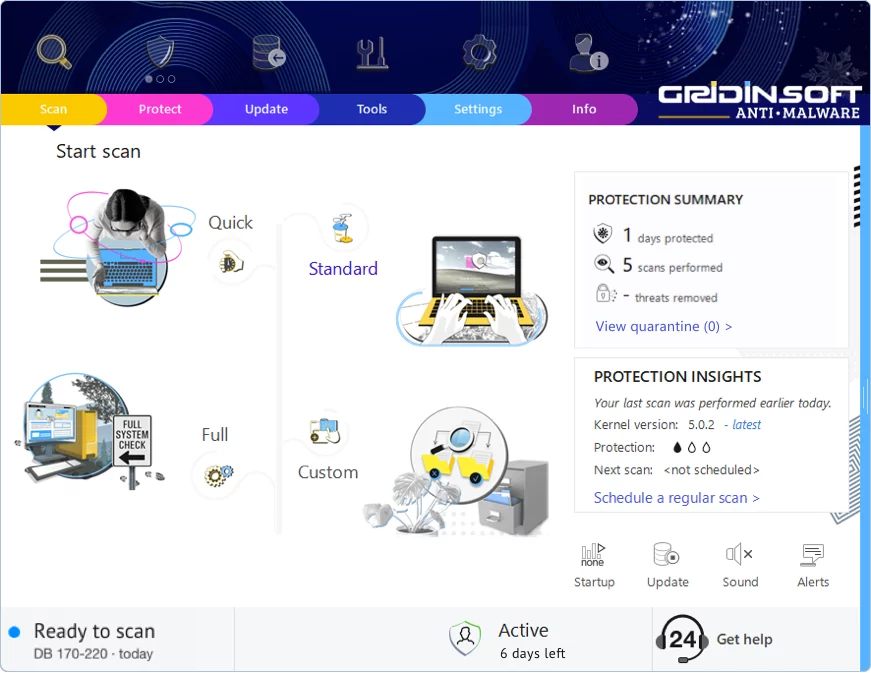
The app launches right after installation. You'll see the main dashboard with the scan button front and center.
-
4
Hit "Standard Scan" — this checks all the spots where malware typically hides: temp folders, browser data, startup programs, and system directories.
-
5
Once the scan finds this threat, click "Clean Now". The removal usually happens instantly, though some stubborn infections may need a reboot.
-
6
If you see a restart prompt, go ahead and reboot. This clears any malware that was running in memory and ensures your system starts fresh.
Leave a Comment

Gridinsoft Anti-Malware
Stay Malware-Free: Keep Your PC Protected with Gridinsoft Anti-Malware
Gridinsoft Anti-Malware offers just that—peace of mind with a robust, user-friendly solution that’s constantly updated to combat the latest threats. Designed by cybersecurity experts, it provides real-time protection and effortless malware removal. It’s not just about detecting threats; it's about enhancing your digital life with uninterrupted security. Give it a try and experience what it feels like to browse worry-free!