Sidestep scam shops.
A great deal should not cost you your card details. Block connections to known scam domains before you start shopping.

Gridinsoft Web Protection for Android
A fake shop. A convincing sign-in page. A link you almost trust. Help stop dangerous websites before you connect.
14 days free · No card required · Android 10 or later
Download directly from Gridinsoft. Google Play release is under review.
MORE CONFIDENCE, EVERY DAY
A great deal should not cost you your card details. Block connections to known scam domains before you start shopping.
Phishing pages imitate brands you trust. Get protection against known phishing domains behind misleading links.
Protection works in the background while enabled, helping block dangerous domains without checking every link by hand.
Protection covers known dangerous domains. An unblocked website is not a guarantee of safety.
UNDERSTAND YOUR PROTECTION
Get a notification, open the reason in the app and explore the Gridinsoft website report. Repeated requests are grouped to keep alerts useful.
Reason: phishing
Open the app to view the explanationA blocked request can also come from an app running in the background.
ONE YEAR OF EVERYDAY PROTECTION
Try protection free for 14 days on up to 3 Android devices. No card required and no automatic charge. After your trial, choose an annual plan for one or three Android devices.
PERSONAL
Protection for the phone you use every day.
$29.99 / year
FOR MULTIPLE DEVICES
Connect up to three Android devices to your account.
$49.99 / year
Prices in USD. Billed annually and renewed automatically until canceled. Taxes may apply; the final total and renewal terms appear at checkout. Payments are processed by PayPro Global.
A FEW SIMPLE STEPS
Create your Gridinsoft account and confirm your email. Your 14-day trial starts without a payment card. Already have access? Use your existing account.
Download the APK below and open it. If Android asks, allow installation from this browser, then tap Install. You can turn that permission off after installation.
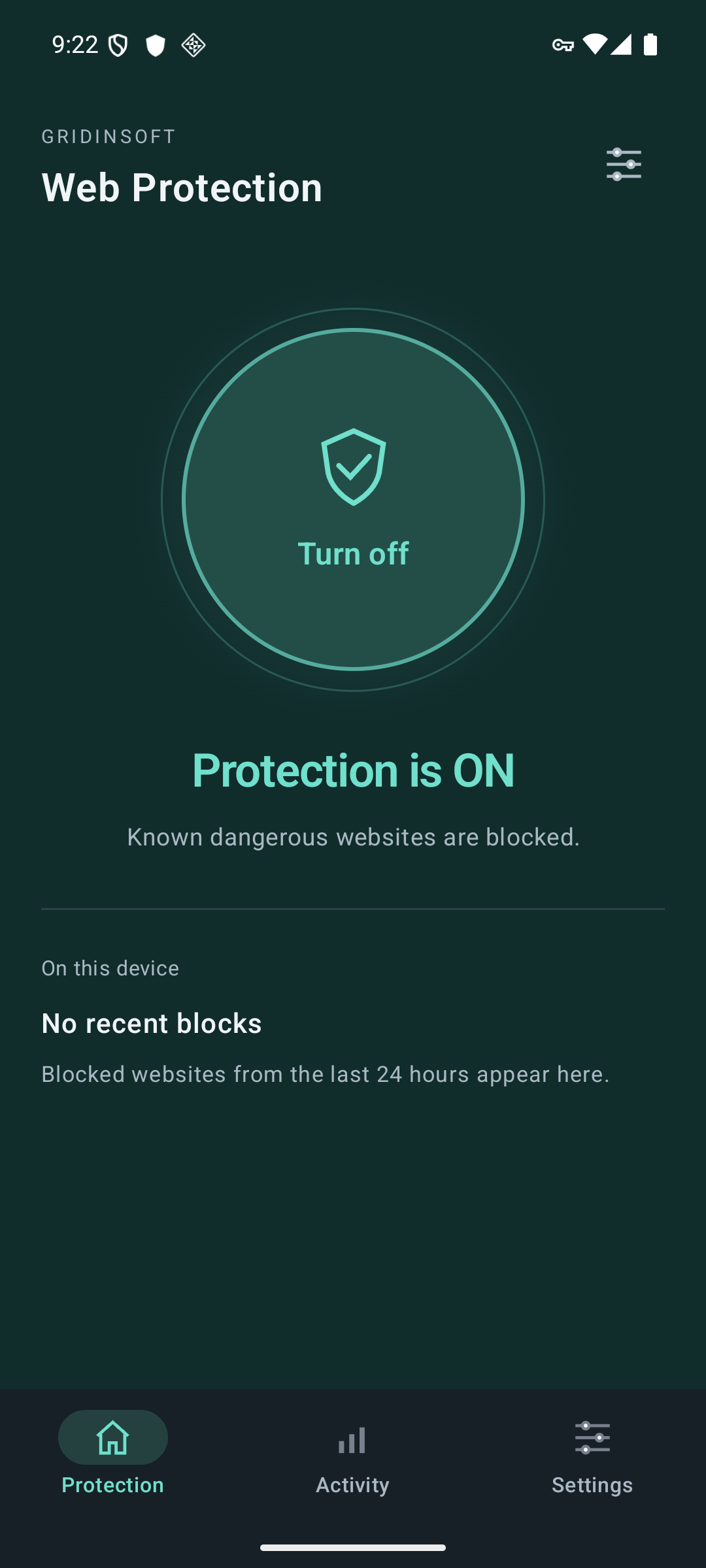
Open the app, tap Setup and sign in. Tap Turn on, read the explanation and approve Android’s VPN connection request. Look for Protection is ON.
Version 0.5.0 · Android 10 or later.
Signed by Gridinsoft. App updates for this download are installed manually from this page.
GOOD TO KNOW
No. You can download the signed Android APK directly from Gridinsoft using the button above. Follow the installation steps on this page. The Google Play release is still under review.
Yes. Create an account and confirm your email to start a free 14-day trial for up to 3 Android devices. No card is required and you will not be charged automatically. Then connect your account in the app. To continue protection after the trial, choose an annual license for one or three Android devices.
The app uses Android’s VPN connection to send domain lookups securely to Gridinsoft for filtering. It does not hide your IP address or change your location. Only one VPN can be active at a time; apps with their own encrypted DNS may bypass protection.
Web Protection blocks connections to known dangerous domains. For on-demand checks of installed Android apps, see Gridinsoft Trojan Scanner.
Domain lookups are sent over an encrypted connection and linked to your registered device. We retain limited block events and aggregate statistics, not a complete browsing history. Read our Web Protection privacy notice.
This release is for Android. A public Mac or iPhone download is not currently available.
Need a hand? Contact Gridinsoft support →