
The implant_p76_kaspersky.exe (OneDrive Standalone Update Task) File Analysis
Technical Analysis
| File Name | implant_p76_kaspersky.exe |
| File Type |
PE32+ executable (console) x86-64 (stripped to external PDB), for MS Windows
|
| Scanner Version | 1.0.251.174 |
| Database Version | 2026-08-03 02:00:16 UTC |
Clean File
No threats detected by our scanner
Scan Another File
File Identification
| Hash Type | Value | Action |
|---|---|---|
| MD5 |
171835afab8711721e65d8e3bfdcc44b
|
|
| SHA1 |
815d52a568bdcd6a055d11a2ed8f2ca46cb71439
|
|
| SHA256 |
8e13325b178a6e8ced13333d8b9e054d860966c122c9f77b81972db2ea6ca953
|
|
| SHA512 |
ea083a765af345999058557f0f232fa2f22be83926f00aba9720ea68e760dccbd786ab32cce2f2fca0f3820b6c8a764dc3396632979fa1e331d7ecd8b185634b
|
|
| ImpHash |
047ccfa8dd2cdb90beddc5680a2a3ede
|
PE Analysis
Basic Information
▼| Icon |
Hash: 9f8788f50b3b90243227c561416f4a85
Fuzzy: e7132928effffd40ab7cab55148fde80 dHash: a44a9271607403e0 |
| Image Base | 0x140000000 |
| Entry Point | 0x1400014f0 |
| Compilation Time | 2026-08-02 16:04:22 |
| Checksum | 0x0018e727 (Actual: 0x0018e727) |
| OS Version | 4.0 |
| PEiD Signatures |
PE32+ executable (console) x86-64 (stripped to external PDB), for MS Windows
|
| PDB Path | D:\a\1\s\OneDrive\OneDriveStandaloneUpdater.pdb |
| Digital Signature | Chain verification from C=US, ST=Washington, L=Redmond, O=Microsoft OneDrive, CN=Microsoft Corporation (serial:68026640845290211872202645236352339155404897274, sha1:5fd802882948cd2614928faed4af9977b6e98615) failed: The X.509 certificate provided is self-signed - "Common Name: Microsoft Corporation, Organization: Microsoft OneDrive, Locality: Redmond, State/Province: Washington, Country: US" |
| Imports |
9 libraries
ADVAPI32, CRYPT32, KERNEL32, msvcrt, ole32, OLEAUT32, RPCRT4, SHELL32, USER32 |
| Exports | 0 functions |
| Resources | 11 Resources |
| Sections | 11 Sections |
Version Information
▼| CompanyName | Microsoft Corporation |
| FileDescription | OneDrive Standalone Update Task |
| FileVersion | 24.246.11201.0 |
| InternalName | OneDriveStandaloneUpdater |
| LegalCopyright | (C) Microsoft Corporation. All rights reserved. |
| LegalTrademarks | Microsoft, Windows and OneDrive are trademarks of Microsoft Corporation. |
| OriginalFilename | OneDriveUpdater.exe |
| ProductName | Microsoft OneDrive |
| ProductVersion | 24.246.11201.0 |
| Comments | Microsoft OneDrive Standalone Update |
| Translation | 0x0409 0x04b0 |
PE Sections
▼| Name | Virtual Address | Virtual Size | Raw Size | Entropy | Characteristics | MD5 |
|---|---|---|---|---|---|---|
.text |
0x00001000 |
816,488 bytes | 816,640 bytes | 6.15 (Normal) |
IMAGE_SCN_CNT_CODE|IMAGE_SCN_CNT_INITIALIZED_DATA|IMAGE_SCN_MEM_EXECUTE|IMAGE_SCN_MEM_READ
|
E6A9DB7D0162D3D63F3BEE722C0B7088 |
.data |
0x000c9000 |
12,272 bytes | 12,288 bytes | 0.28 (Normal) |
IMAGE_SCN_CNT_INITIALIZED_DATA|IMAGE_SCN_MEM_READ|IMAGE_SCN_MEM_WRITE
|
49C28BC1813888FBF966D4B4A04EA620 |
.rdata |
0x000cc000 |
100,384 bytes | 100,864 bytes | 3.82 (Normal) |
IMAGE_SCN_CNT_INITIALIZED_DATA|IMAGE_SCN_MEM_READ
|
6A00D0422DA380B7417D61DD148C3063 |
.pdata |
0x000e5000 |
46,056 bytes | 46,080 bytes | 5.96 (Normal) |
IMAGE_SCN_CNT_INITIALIZED_DATA|IMAGE_SCN_MEM_READ
|
8CCFAEF4AC378A3C8EF250A5F6FAA344 |
.xdata |
0x000f1000 |
65,388 bytes | 65,536 bytes | 4.97 (Normal) |
IMAGE_SCN_CNT_INITIALIZED_DATA|IMAGE_SCN_MEM_READ
|
22C96F899BE2360E0DC15FF8EE945249 |
.bss |
0x00101000 |
10,592 bytes | 0 bytes | 0.00 (Normal) |
IMAGE_SCN_CNT_UNINITIALIZED_DATA|IMAGE_SCN_MEM_READ|IMAGE_SCN_MEM_WRITE
|
D41D8CD98F00B204E9800998ECF8427E |
.idata |
0x00104000 |
7,372 bytes | 7,680 bytes | 4.45 (Normal) |
IMAGE_SCN_CNT_INITIALIZED_DATA|IMAGE_SCN_MEM_READ|IMAGE_SCN_MEM_WRITE
|
C0CA3A033A78665F60562BEE21E51DCA |
.CRT |
0x00106000 |
104 bytes | 512 bytes | 0.35 (Normal) |
IMAGE_SCN_CNT_INITIALIZED_DATA|IMAGE_SCN_MEM_READ|IMAGE_SCN_MEM_WRITE
|
01848950B2B0479DB54F51EF1EE74B72 |
.tls |
0x00107000 |
16 bytes | 512 bytes | 0.00 (Normal) |
IMAGE_SCN_CNT_INITIALIZED_DATA|IMAGE_SCN_MEM_READ|IMAGE_SCN_MEM_WRITE
|
BF619EAC0CDF3F68D496EA9344137E8B |
.rsrc |
0x00108000 |
547,448 bytes | 547,840 bytes | 7.99 (Packed/Encrypted) |
IMAGE_SCN_CNT_INITIALIZED_DATA|IMAGE_SCN_MEM_READ|IMAGE_SCN_MEM_WRITE
|
1E83E65E48ACA7CE989B9CA2FA96AFB1 |
.reloc |
0x0018e000 |
8,192 bytes | 6,656 bytes | 5.24 (Normal) |
IMAGE_SCN_CNT_INITIALIZED_DATA|IMAGE_SCN_MEM_READ
|
7EAAD02D4634B991DEE456A55071D017 |
Entropy Analysis Alert
1 section(s) with high entropy (≥7.5) detected - possible packing/encryption
Resource Analysis
▼| Resource Type | Count | Total Size | Percentage |
|---|---|---|---|
| RT_ICON | 7 | 74,635 bytes | |
| RT_RCDATA | 1 | 469,335 bytes | |
| RT_GROUP_ICON | 1 | 104 bytes | |
| RT_VERSION | 1 | 1,188 bytes | |
| RT_MANIFEST | 1 | 1,478 bytes |
Certificate Chain Analysis
▼Certificate Information
| Product | Microsoft OneDrive |
| Description | OneDrive Standalone Update Task |
| File Version | 24.246.11201.0 |
| Original Name | OneDriveUpdater.exe |
| Verification Status | A certificate chain processed, but terminated in a root certificate which is not trusted by the trust provider. |
| Signers | Microsoft Corporation |
| Internal Name | OneDriveStandaloneUpdater |
| Copyright | (C) Microsoft Corporation. All rights reserved. |
Certificate Chain Summary
0B EA 6B 8A 0C 32 06 43 C0 59 7E E7 E9 42 AF EE 99 AE BB FA✓ This file has been digitally signed and the certificate chain has been verified
- The signature ensures file integrity and authenticity from the publisher
- Timestamping proves when the signature was applied
Certificate Verification Status
Chain verification from C=US, ST=Washington, L=Redmond, O=Microsoft OneDrive, CN=Microsoft Corporation (serial:68026640845290211872202645236352339155404897274, sha1:5fd802882948cd2614928faed4af9977b6e98615) failed: The X.509 certificate provided is self-signed - "Common Name: Microsoft Corporation, Organization: Microsoft OneDrive, Locality: Redmond, State/Province: Washington, Country: US"
Recommendation: Verify the file source and ensure it comes from a trusted publisher.
Remember: This is Result of Online Virus Scanner
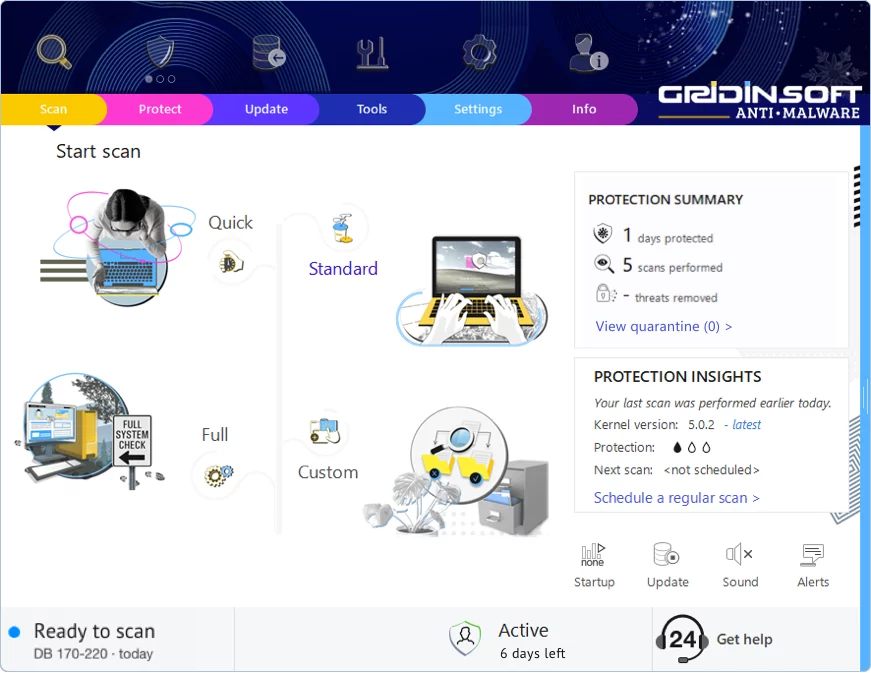
Gridinsoft Anti-Malware has a much more powerful virus scanning engine. We recommend using it for a more precise diagnosis of infected systems. This brief guide will help you install our flagship product for more accurate diagnostics:
Download Anti-MalwareKeep Your System Protected
This file appears clean, but regular security maintenance is important
-
1
Weekly Quick Scans: Set a reminder to run a scan every Sunday. Most infections are caught within the first week, so regular checks give you peace of mind.
-
2
Update Everything: Those annoying update popups exist for a reason — they patch security holes. Windows, browsers, Adobe, Java — keep them all current.
-
3
Download Smart: Stick to official websites and app stores. If a "free" version of paid software sounds too good to be true, it probably comes with unwanted extras.
-
4
Think Before You Click: Malware loves email attachments and "urgent" links. Even if an email looks like it's from your bank or a friend, verify suspicious requests through a different channel.
Leave a Comment

Gridinsoft Anti-Malware
Stay Malware-Free: Keep Your PC Protected with Gridinsoft Anti-Malware
Gridinsoft Anti-Malware offers just that—peace of mind with a robust, user-friendly solution that’s constantly updated to combat the latest threats. Designed by cybersecurity experts, it provides real-time protection and effortless malware removal. It’s not just about detecting threats; it's about enhancing your digital life with uninterrupted security. Give it a try and experience what it feels like to browse worry-free!