
HexagonPlayerLauncher.exe Adware VOPackage Analysis
Technical Analysis
| File Name | HexagonPlayerLauncher.exe |
| File Type |
PE32 executable (GUI) Intel 80386, for MS Windows
|
| Scanner Version | 1.0.249.174 |
| Database Version | 2026-06-28 04:00:19 UTC |
Adware.Win32.VOPackage.cl
Malware family: VOPackage
Scan Another File
File Identification
| Hash Type | Value | Action |
|---|---|---|
| MD5 |
725e733b5bb9cb271aa17ea4fb370b74
|
|
| SHA1 |
ccd720c9ca577750dd71e4195564ab914445aa3c
|
|
| SHA256 |
4e66d9fefb95ac309be7349eb4256b89f03fc59a59785818d9e1c42fb22614c0
|
|
| SHA512 |
2c099ee096a34b41722e8efce2068aa5056c5823322027e24f4d1ac949d73c34d218d463fc82dfe8ee2ff0124f0fa8eab5ca24c1d4a38e1fa6cc9d3bddb18d36
|
|
| ImpHash |
577baf41c84c596edb6b6ecfd95f25db
|
PE Analysis
Basic Information
▼| Icon |
Hash: e83e47f8b912eea339c4f45b52c67af1
Fuzzy: 5d6619faeef1d11e9bd1a4f3f0896bd9 dHash: 3018968b9b931290 |
| Image Base | 0x00400000 |
| Entry Point | 0x00439e39 |
| Compilation Time | 2026-05-26 03:10:35 |
| Checksum | 0x00000000 (Actual: 0x0019306b) |
| OS Version | 5.1 |
| PEiD Signatures |
PE32 executable (GUI) Intel 80386, for MS Windows
|
| PDB Path | F:\src\Build\Installer\BootstrapperClient\bin\Release\HexagonPlayerLauncher.pdb |
| Digital Signature | No valid SignedData structure was found. |
| Imports | 19 libraries |
| Exports | 0 functions |
| Resources | 19 Resources |
| Sections | 5 Sections |
Version Information
▼| CompanyName | Hexagon Corporation |
| FileDescription | Hexagon |
| FileVersion | 1, 6, 3, 196 |
| LegalCopyright | (C) 2012 Hexagon Corporation. All rights reserved. |
| OriginalFilename | Hexagon.exe |
| ProductName | Hexagon Bootstrapper |
| ProductVersion | 1, 6, 0, 0 |
| Translation | 0x0409 0x04b0 |
PE Sections
▼| Name | Virtual Address | Virtual Size | Raw Size | Entropy | Characteristics | MD5 |
|---|---|---|---|---|---|---|
.text |
0x00001000 |
982,118 bytes | 982,528 bytes | 6.64 (Compressed) |
IMAGE_SCN_CNT_CODE|IMAGE_SCN_MEM_EXECUTE|IMAGE_SCN_MEM_READ
|
AD57E29815DD9C5C8D0677DDD8CE9080 |
.rdata |
0x000f1000 |
264,708 bytes | 265,216 bytes | 5.60 (Normal) |
IMAGE_SCN_CNT_INITIALIZED_DATA|IMAGE_SCN_MEM_READ
|
92B1FAC32A310764F4F9339EFDAE0F47 |
.data |
0x00132000 |
52,740 bytes | 46,592 bytes | 4.84 (Normal) |
IMAGE_SCN_CNT_INITIALIZED_DATA|IMAGE_SCN_MEM_READ|IMAGE_SCN_MEM_WRITE
|
B80C4F67356D97868D8492343331417E |
.rsrc |
0x0013f000 |
299,640 bytes | 300,032 bytes | 3.45 (Normal) |
IMAGE_SCN_CNT_INITIALIZED_DATA|IMAGE_SCN_MEM_READ
|
293485AEBADEE1FB5AEE3B6A8C6A3918 |
.reloc |
0x00189000 |
52,112 bytes | 52,224 bytes | 6.65 (Compressed) |
IMAGE_SCN_CNT_INITIALIZED_DATA|IMAGE_SCN_MEM_DISCARDABLE|IMAGE_SCN_MEM_READ
|
3A8C2C8AF79B490A3A00A5B8E66C924D |
Entropy Analysis Alert
2 section(s) with elevated entropy (≥6.5) - possible compression
Resource Analysis
▼| Resource Type | Count | Total Size | Percentage |
|---|---|---|---|
| RT_BITMAP | 12 | 292,040 bytes | |
| RT_ICON | 1 | 4,264 bytes | |
| RT_DIALOG | 1 | 258 bytes | |
| RT_STRING | 1 | 450 bytes | |
| RT_ACCELERATOR | 1 | 8 bytes | |
| RT_GROUP_ICON | 1 | 20 bytes | |
| RT_VERSION | 1 | 748 bytes | |
| RT_MANIFEST | 1 | 640 bytes |
Certificate Chain Analysis
▼No Digital Signatures
This file is not digitally signed.
Security Implications:
- Cannot verify the publisher's identity
- Increased security risk when running this file
- May trigger security warnings on some systems
⚠ This file either lacks a digital signature or the certificate chain could not be verified
Exercise caution when executing unsigned files from unknown sources
Certificate Verification Status
No valid SignedData structure was found.
Recommendation: Verify the file source and ensure it comes from a trusted publisher.
Adware.Win32.VOPackage.cl Removal
Gridinsoft has the capability to identify and eliminate Adware.Win32.VOPackage.cl without requiring further user intervention.
Download Anti-MalwareRemoval Instructions
Follow these steps to completely remove the threat from your system
-
1
Get Gridinsoft Anti-Malware — it's a quick 2 MB download that won't slow down your PC.
-
2
Run the installer gsam-en-install.exe. The setup takes about 2 minutes and doesn't require a restart.
-
3
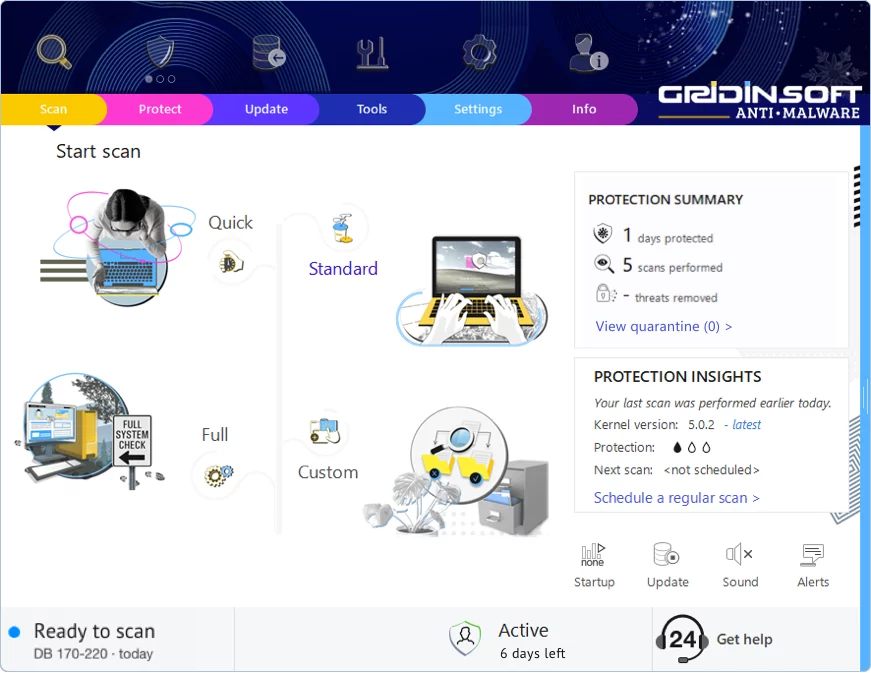
The app launches right after installation. You'll see the main dashboard with the scan button front and center.
-
4
Hit "Standard Scan" — this checks all the spots where malware typically hides: temp folders, browser data, startup programs, and system directories.
-
5
Once the scan finds this threat, click "Clean Now". The removal usually happens instantly, though some stubborn infections may need a reboot.
-
6
If you see a restart prompt, go ahead and reboot. This clears any malware that was running in memory and ensures your system starts fresh.
Leave a Comment

Gridinsoft Anti-Malware
Stay Malware-Free: Keep Your PC Protected with Gridinsoft Anti-Malware
Gridinsoft Anti-Malware offers just that—peace of mind with a robust, user-friendly solution that’s constantly updated to combat the latest threats. Designed by cybersecurity experts, it provides real-time protection and effortless malware removal. It’s not just about detecting threats; it's about enhancing your digital life with uninterrupted security. Give it a try and experience what it feels like to browse worry-free!