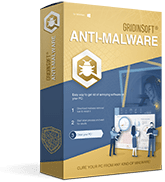
Gridinsoft Anti-Malware
Best for everyday malware prevention, repeat scans, quarantine, browser cleanup, and post-infection verification on Windows PCs.
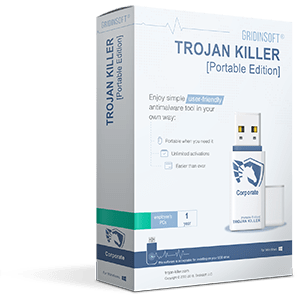
Choose the right product for your device, cleanup workflow, and protection model. This page compares our installed Windows protection, portable incident-response tool, and Android scanner in one place.
If you are deciding between everyday Windows protection, USB-based cleanup, or Android app scanning, start here.
Each product is built for a different job. Use the quick summaries below, then review the feature and pricing table for the final choice.
Best for everyday malware prevention, repeat scans, quarantine, browser cleanup, and post-infection verification on Windows PCs.
Best for USB-based incident response, offline cleanup, and helping repair already affected Windows machines without a full install.
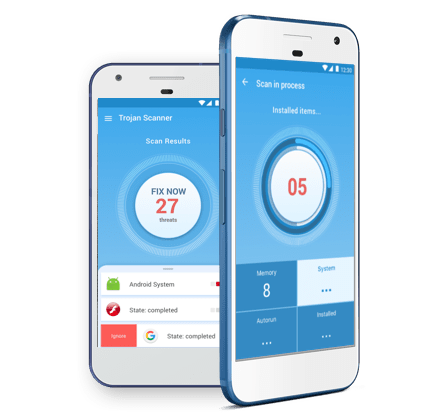
Best for checking suspicious Android apps, mobile permissions abuse, and unwanted software on phones and tablets.
Use these shortcuts when you need an answer fast.
Review the core capabilities, deployment model, update behavior, and pricing of each product side by side.
| Capability | |||
|---|---|---|---|
| Free Scan for Threats | Gridinsoft Scan24 Engine | Gridinsoft Scan24 Engine | Special Engine [AE-EasyScan] |
| Powerful engine created by Gridinsoft developers that is able to protect your PC against 24 different types of threats. | |||
| Remove All Known Threats | Activation required | Activation required | On-Launch Activation |
| To remove ALL detected items, you need to have an activated copy of our software. | |||
| Memory Clean | |||
| It is important to wipe out all threats from the PC memory as the first step on the way of cleaning your PC. | |||
| Free 24\7 support | |||
| Our support is always there for your service. Online chat, ticket system or mail - you can be assured: we'll help you any way we can. | |||
| Active Protection | |||
| Active protection necessary when you need to be sured, that all files you are starting on your PC is are safe and clean. | |||
| Install-And-Forget Technology (System install) | |||
| It is easy to integrate protection into your system! Benefits are obvious: built-in, always on-duty, scheduled and up-to-date. All is tailored to fit your needs | |||
| Connect-And-Clean Technology (USB install) | |||
| This means that Trojan Killer [Portable Edition] can be used without installation to scan and clean infected computers using any convenient USB-device. | |||
| Active Feedback Technology | |||
| We appreciate your feedback, and each time you contact our support and our Analytical Team you improve our experience and our productivity. We need your reports to have more information about current threats, and to produce more powerful protection. | |||
| Update-on-demand | |||
| We know that you need to use Trojan Killer [Portable Edition] as an emergency kit for any PC; that's why it is necessary to have the possibility to update it at any convenient time. | |||
| Hourly Updates | |||
| We update our Threat List hourly and even more frequently when it is deemed necessary. | |||
| Browser Clean & Reset | |||
| Our accompanying built-in tool that is able to recognize and remove threats that were injected into your browser (or several of them). | |||
| [Hidden Security] Technology | |||
| We propose a special edition of Trojan Killer based on technology that is able to overpower any virus that is blocking the launch of our software. | |||
| CureMyPC Option | |||
| This is the easiest way to cure your PC when it is in trouble and you don't have access to the internet. You need to restore its functionality and productivity as soon as possible! | |||
| OS to Run | Windows 11/10/8/7 | Windows 11/10/8/7 | Android only |