
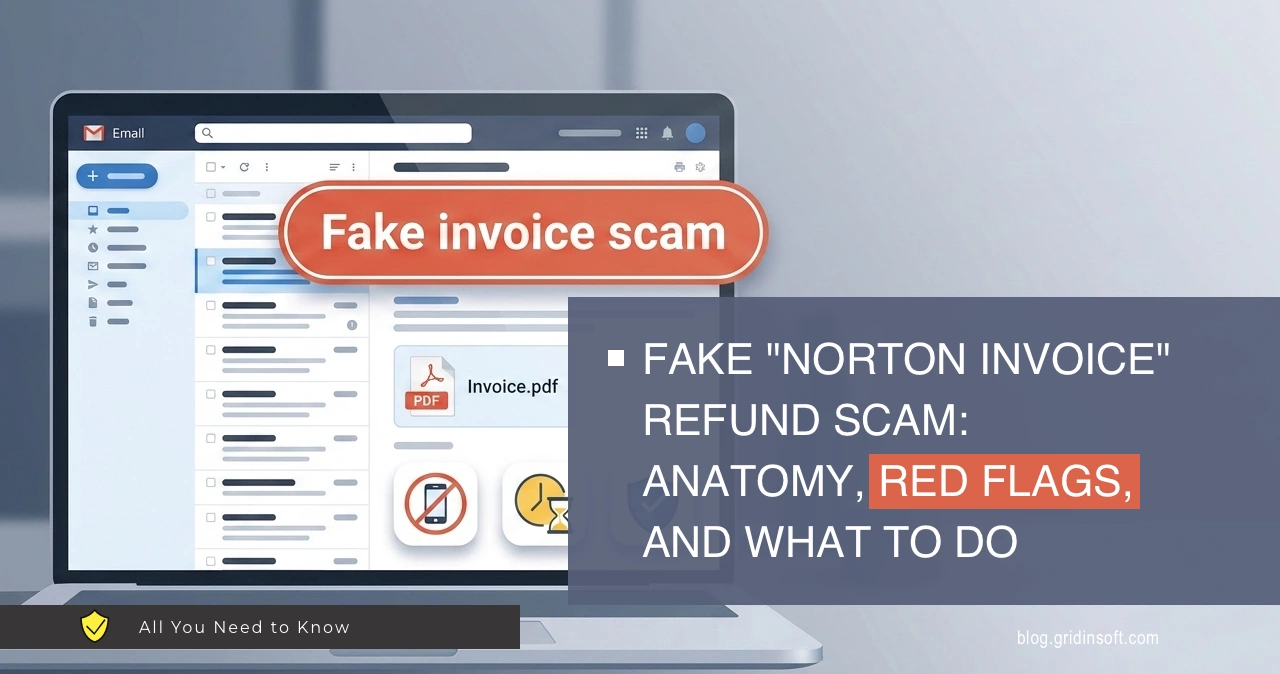
A common phishing pattern is the Norton invoice refund scam: an email arrives with a PDF “receipt” that looks like a subscription renewal. The message is designed to create panic with a large charge and a short deadline, then push the recipient to call a phone number.
The real fraud usually happens during that call – when scammers try to extract personal data, gain remote access, or redirect money.
This article breaks down a real sample and explains how to spot it and respond safely.
What this scam is
The Norton invoice refund scam (often paired with tech-support tactics) starts with an unsolicited invoice claiming you paid for a product you never ordered.
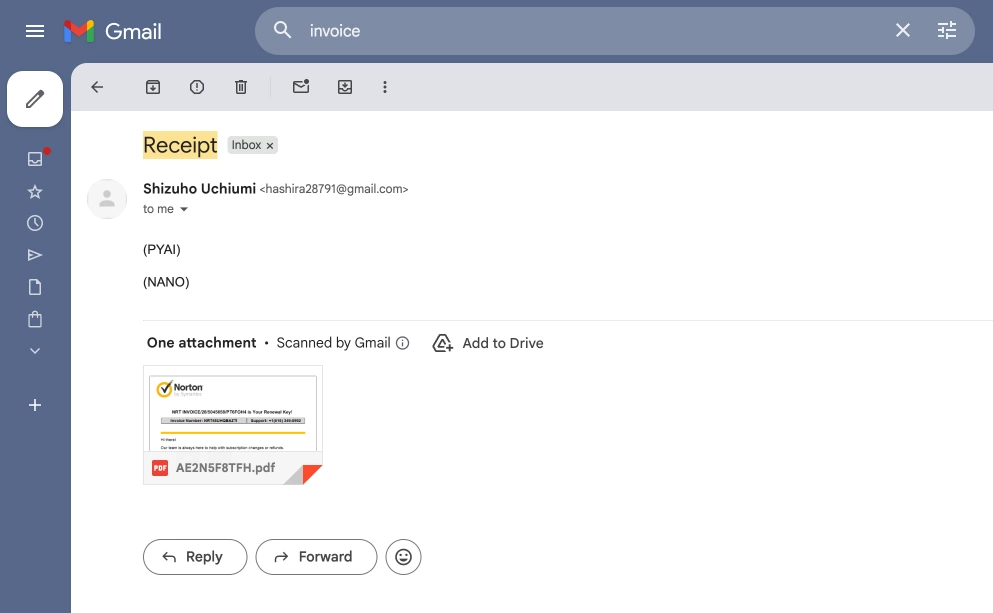
The PDF typically highlights a “support” number and makes canceling or refunding sound urgent. If the victim calls, the scammer guides the conversation toward actions that increase risk – sharing sensitive information, installing remote-access tools, or initiating a payment under the pretence of a refund or verification.
What the invoice tries to make you believe
The sample PDF uses familiar branding and billing language to look legitimate. It claims an auto-debit subscription renewal, shows a high dollar amount, and adds a time limit to push quick action.
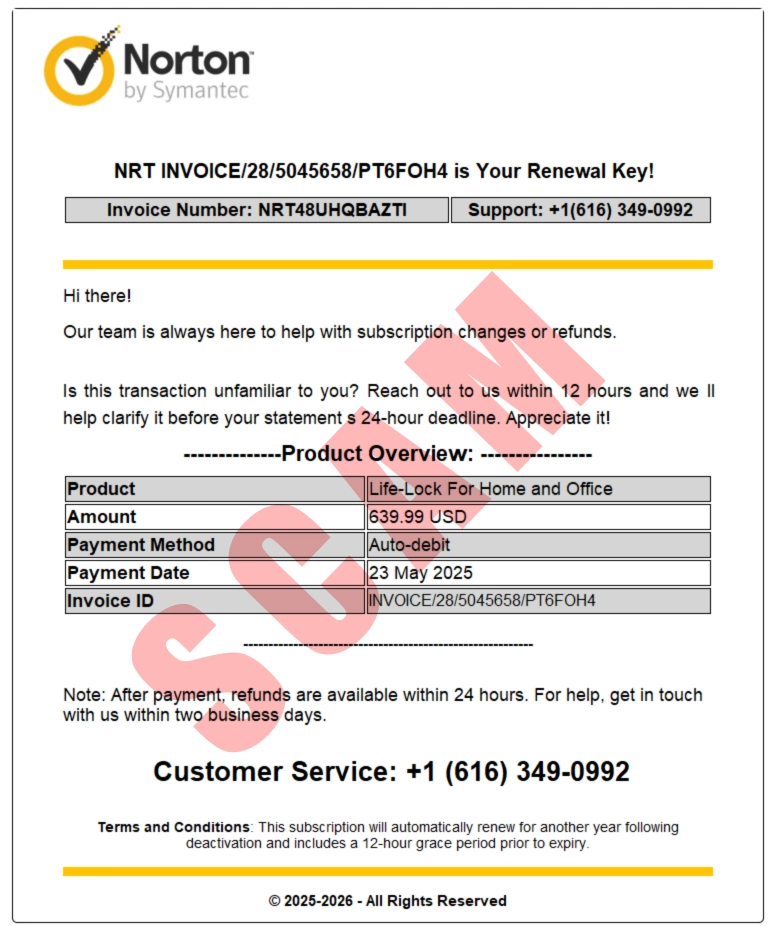
This combination (brand + big charge + urgency + phone number) is a strong indicator of an invoice-refund campaign.
| Field shown in the PDF | Example value (masked) | Why it matters |
|---|---|---|
| Brand / header | “Norton by Symantec” | Brand impersonation is used to borrow trust and reduce skepticism. |
| Product | “Life-Lock For Home and Office” | Vague or inconsistent product naming is common in fake invoices. |
| Amount | $639.99 USD | A large charge increases panic and reduces careful verification. |
| Payment method | “Auto-debit” | Often presented without proof (no account context, no recognized order history). |
| Deadline language | “within 12 hours”, “24-hour deadline” | Artificial time pressure is a classic manipulation technique. |
| Support phone | +1 (616) 349-0xxx | Directing victims to a phone call is the main conversion step in refund scams. |
| Sender | Personal email (e.g., @gmail.com) | Sender domain mismatch is a high-signal indicator of impersonation. |
Tip: Assess the email sender and headers first. A polished PDF does not prove authenticity.
How the Norton invoice refund scam works
Most campaigns follow a predictable flow. The fake invoice is only the opener – the attacker aims to move the target into a phone conversation where they can control the narrative.
The flowchart below illustrates the typical sequence and why the phone call is the critical risk point.
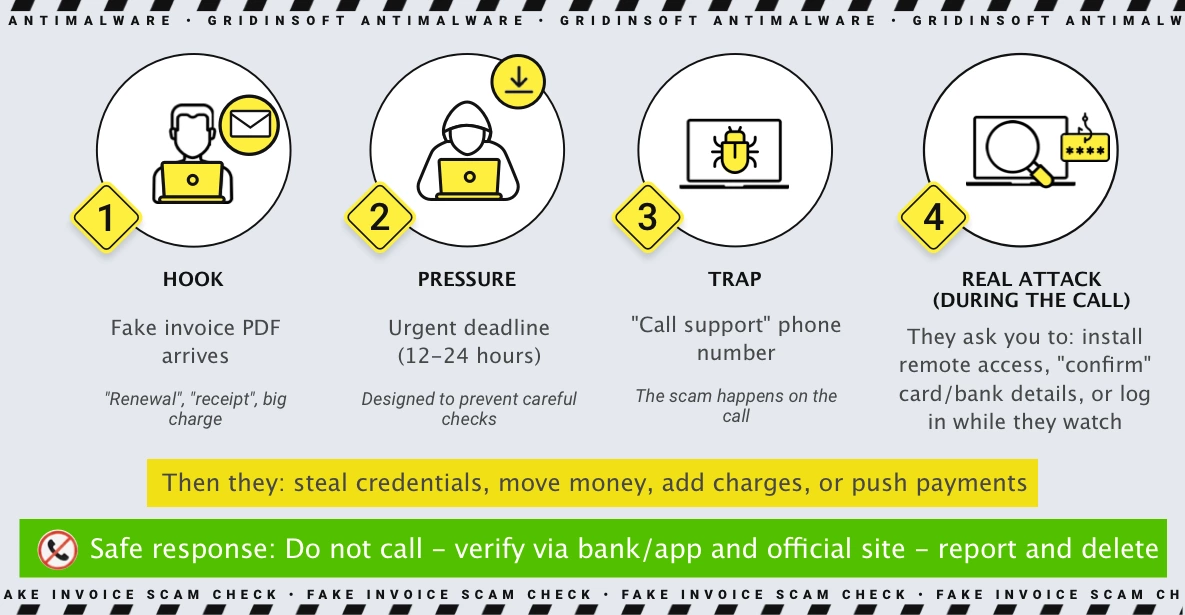
It usually starts with a simple hook: a polished-looking invoice PDF lands in your inbox, labeled “renewal” or “receipt”, with a big charge that you do not recognize. Next comes pressure – the message adds a tight deadline (often 12-24 hours) to stop you from thinking and checking calmly.
Then the trap appears: a “call support” phone number that promises a quick fix. If you call, that is where the real attack begins – the scammer tries to steer you into installing remote-access software, “confirming” card or bank details, or logging in while they watch. The safest ending is to stay off their channel: do not call, verify independently in your bank/app and the official vendor site, then report the email and delete it.
Red flags that indicate an invoice refund scam
Some signals are strong enough that a single one is often sufficient to treat the message as malicious. Others are weaker on their own but meaningful in combination.
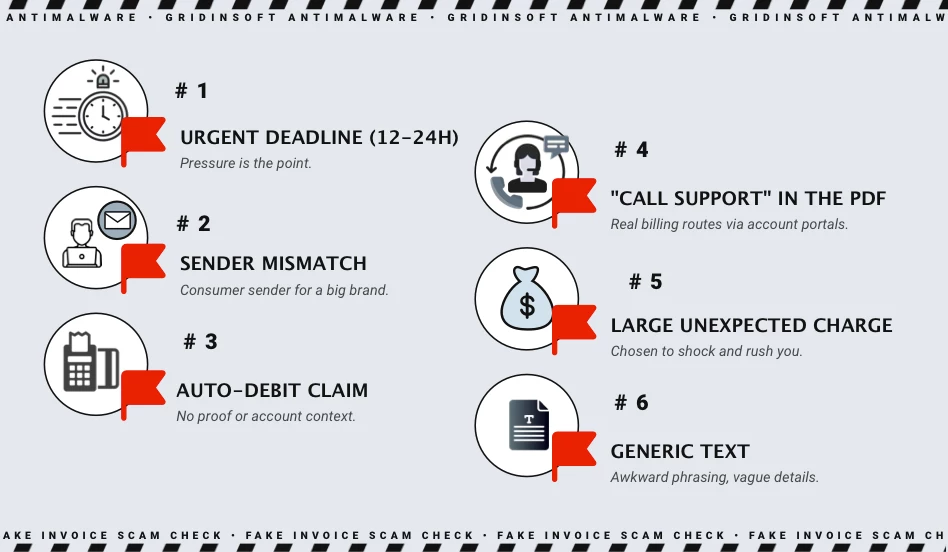
The chart below summarizes the most common flags seen in invoice-refund campaigns.
High-confidence indicators
- Sender mismatch: the email comes from a domain that is not owned by the brand (for example, a consumer domain like
@gmail.com). - Phone-first resolution: the PDF insists you must call a phone number to cancel, dispute, or refund.
- Artificial urgency: 12-24 hour “deadlines” or “statement cutoffs” that pressure immediate action.
- No external verification: the claimed charge cannot be found in your bank/card portal or official account history.
Medium-confidence indicators
- Vague product or plan names, inconsistent formatting, or missing account identifiers you recognize.
- Long, random-looking invoice strings that are easy to generate but hard to validate.
- Generic greetings (“Hi there”) and unnatural phrasing that suggests templated content.
What to do if you receive a suspicious invoice
The safest response avoids interacting with the message and focuses on independent verification. The steps below are designed to prevent the scammer from moving the conversation onto their channel (phone, remote tools, or payment workflows).
If you have not clicked or called
- Do not call the number and do not reply.
- Open your banking app (or card portal) and check for a real charge.
- If there is no charge, delete the email and mark it as spam/phishing.
- If you want to verify anyway, type the vendor website manually and check your account there (do not use links from the email).
Operational rule: treat all contact details inside the email/PDF as untrusted until verified independently.
If you called, clicked, or installed something
- Disconnect the device from the internet.
- Uninstall any remote access tools you were told to install.
- Change passwords starting with email, then banking, then everything else (from a clean device if possible).
- Contact your bank/card issuer and explain you interacted with a refund/tech support scam.
- Run a reputable malware scan and review browser extensions.
Reporting and verification
These official channels can be used to report scams or confirm next steps. If you are unsure about a link, type the official URL manually.
- US FTC – Report fraud: reportfraud.ftc.gov
- FBI IC3 – Internet crime reporting: ic3.gov
- Canadian Anti-Fraud Centre: antifraudcentre-centreantifraude.ca
- Norton support portal (for general verification guidance): support.norton.com
Disclaimer: This article is educational and describes common scam patterns. If you see an unexpected charge, verify it through your bank/card issuer and the official vendor account portal (not via phone numbers or links provided inside the email/PDF).