
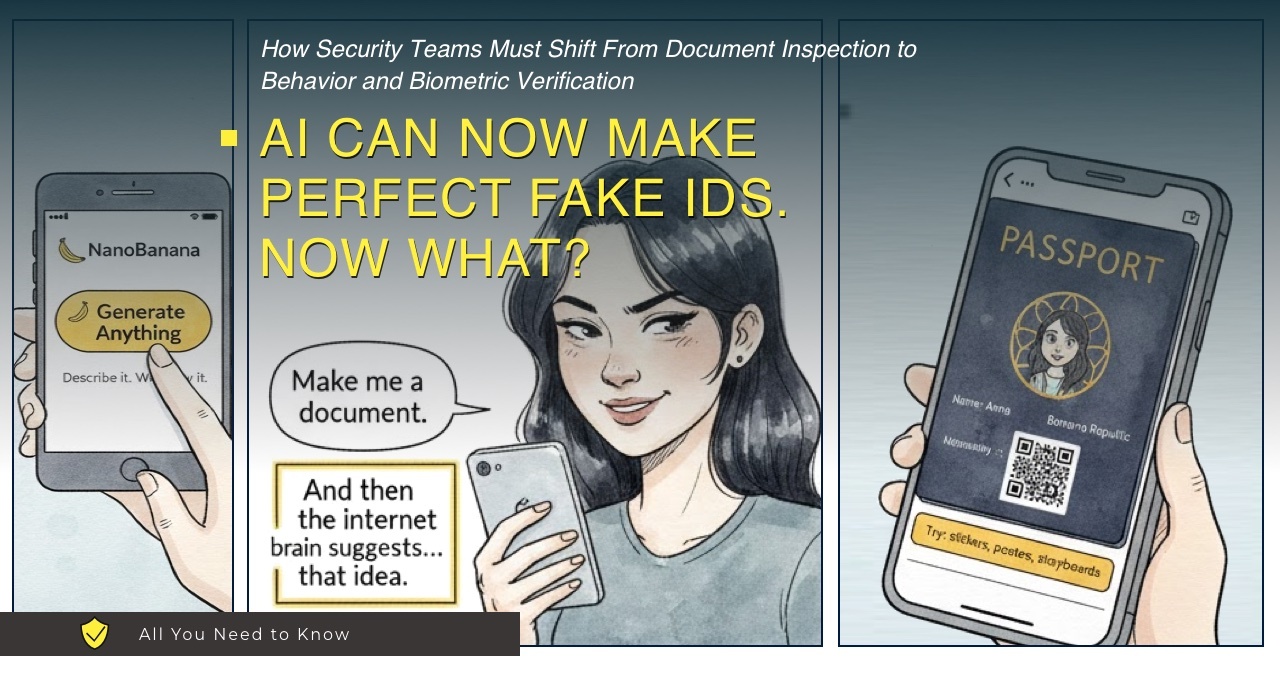
Fraud teams have been passing around the same kind of screenshot lately: a passport-style fake ID produced by an AI image generator. The output looks clean enough to fool a quick glance – readable text, consistent layout, and a portrait that does not belong to a real person.
This is not the end of identity verification. It is a warning that many KYC flows still lean too heavily on a single, fragile artifact: an uploaded document image.
The Old Tricks Don’t Work Anymore
For years, a lot of verification systems benefited from friction. Creating a convincing fake ID usually took skill, time, and trial and error. That limited volume, and it kept most low-effort fraud sloppy.
That friction is shrinking fast.
Google’s Nano Banana Pro, part of the Gemini image generation suite, is noticeably better at two things that matter for document fraud. First, it can render text clearly and consistently. Second, it preserves layout discipline – spacing, alignment, and repeated patterns that make a document look “official” at a glance.
None of this was built for criminals. These tools are aimed at mockups, marketing assets, and creative work. But the side effect is predictable: the cost of producing believable-looking documents drops, and the number of attempts goes up.
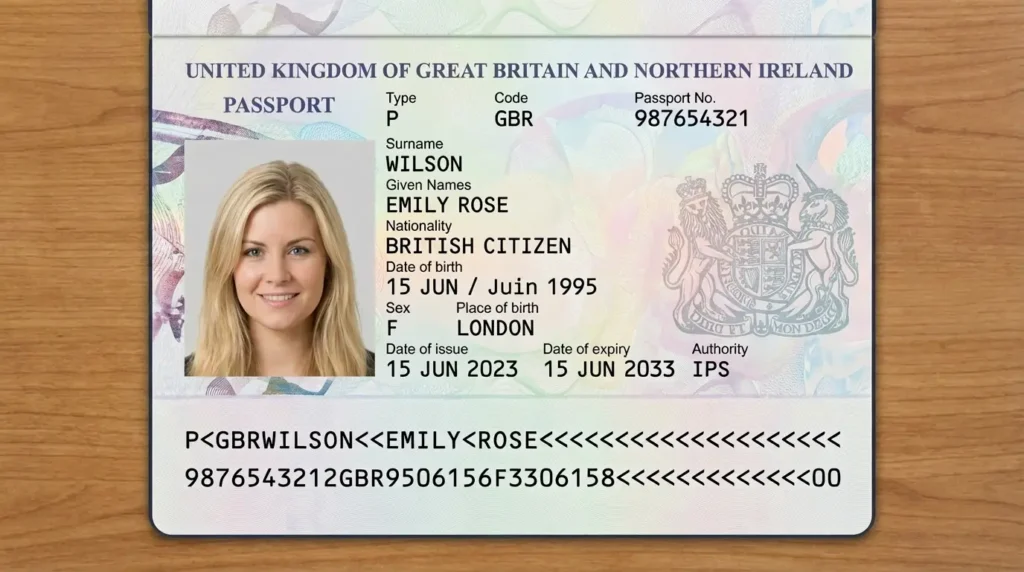
An AI-generated portrait that may look legitimate in workflows that rely on image review and OCR.
What This Actually Means (And What It Doesn’t)
“AI can forge perfect IDs” is a catchy headline. In practice, the bigger change is more boring: an ID photo is no longer the strong signal many systems assume it is.
If you already run a mature identity program, this is not news. Strong verification does not depend on a single uploaded image. It relies on layers – consistency checks, safer capture, step-up verification when the situation calls for it, and cryptographic validation where it is available. In that setup, an AI-generated passport image does not prove anything on its own.
The problem shows up in the everyday, stripped-down flows: upload a document photo, run OCR and a template check, optionally add a selfie, approve. That model held up mostly because high-quality fakes were expensive and annoying to produce. When an attacker can generate dozens of clean variations in minutes, the weak spots show up fast.
For human review, the trap is assuming “clean” equals “real.” Real documents captured in real life usually come with small imperfections: uneven lighting, slight blur, mild lens distortion, print texture, dust, tiny scratches, and edge shadows. AI outputs often look like they were shot in a studio. If a document looks unusually perfect, treat that as a reason to ask for stronger proof rather than a reason to relax.
The machine readable zone (MRZ) is one of the quickest reality checks. Visual details are easy to imitate. Internal consistency is not. Many fakes fail on logic: the MRZ does not match the visible fields, check digits are wrong, or dates and values do not follow standard patterns. Those mistakes are often easier to spot than subtle visual tells.
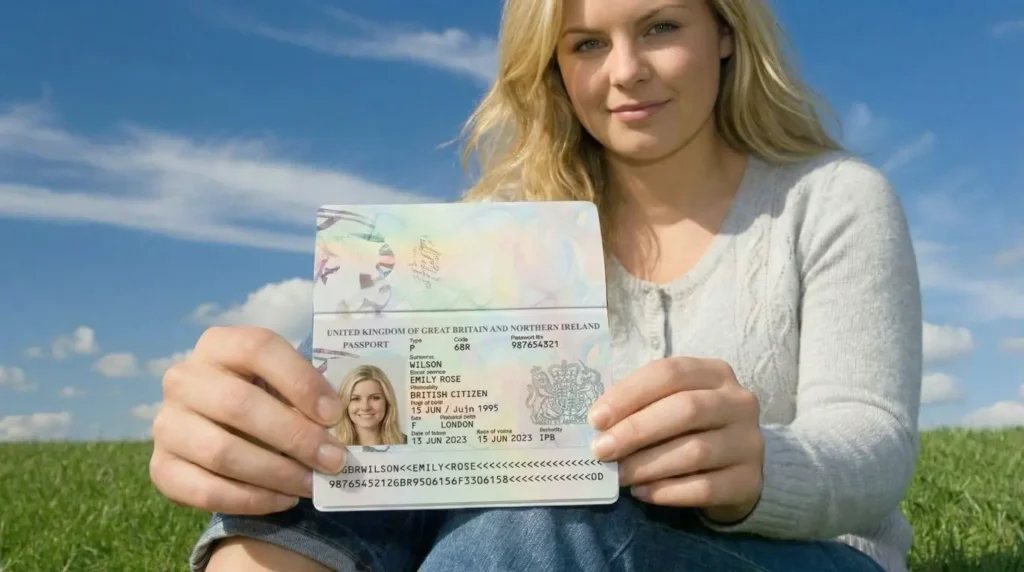
When AI can generate both the face and the document image, “looks real” becomes a weak signal by itself.
How Verification Systems Need to Evolve
If your organization still treats an uploaded image as primary proof of identity, it is time to revisit the design.
Start with capture. One of the biggest upgrades for many teams is requiring live capture and document presence checks. The goal is to reduce gallery uploads and limit simple injection of pre-generated media. In practice: avoid screenshots and email attachments, and treat “upload from anywhere” as a high-risk feature unless you have strong anti-injection controls.
Re-evaluate selfie checks. Basic liveness prompts were built to stop static photo reuse. They are not a complete answer to synthetic media and injection attacks. Many teams are moving toward stronger presence assurance, combining multiple signals and applying step-up verification when the risk profile changes. If a check can be bypassed by media injection, it should not be counted as high assurance.
Prefer cryptographic signals when available. Modern passports and many national ID cards include NFC chips with cryptographically signed data. If your system can read the chip and validate signatures properly, you are not guessing from pixels. You are verifying signed data stored on the document. Where chip-based verification is available, it should be treated as a primary control, with image review as a fallback.
Apply risk-based step-up. Not every action needs the same friction. A low-risk download should not be verified like a high-risk payment. But for sensitive actions (account recovery, financial transfers, high-value purchases), stronger verification should be the default: step-up review, chip reads where supported, video-based verification where justified, or secondary evidence.
The Watermark Question
Google says images created with Nano Banana Pro include SynthID watermarking, an embedded marker intended to indicate AI generation. That can help when it is present and verifiable, but it is not a full solution. Attackers can use tools that do not embed provenance markers, or they can process images in ways that degrade or remove watermark data. Treat provenance as one signal, not the basis of an identity decision.
AI did not invent identity fraud. It made high-quality attempts cheaper and easier to repeat. That changes the math for KYC teams and fraud prevention teams, even if the underlying problem is familiar.
If your controls assume the attacker cannot produce clean, professional-looking document images on demand, update that assumption. Prefer cryptographic validation where possible, require live capture with anti-injection controls, and step up verification when risk increases.